Modern software teams face constant pressure to release features quickly without sacrificing quality, security, or reliability. Strong DevOps Best Practices help organizations reduce deployment delays, improve collaboration, and build systems that can adapt to changing business needs. Companies that adopt automation, cloud technologies, and continuous feedback often achieve faster software delivery and more stable applications.
Development teams no longer work in isolation. Product managers, developers, operations engineers, security specialists, and quality assurance teams must collaborate throughout the software development lifecycle. This shift has transformed software delivery from a sequence of disconnected tasks into a streamlined and automated process.
Organizations across industries—from startups launching mobile applications to enterprises managing global platforms—rely on DevOps principles to accelerate releases. Technologies such as Kubernetes, Docker, Infrastructure as Code, CI/CD pipelines, and cloud computing have become essential components of modern software engineering.
This guide explores the most effective DevOps strategies, practical implementation methods, common challenges, and lessons learned from real-world deployments.
What Are DevOps Best Practices and Why Do They Matter?
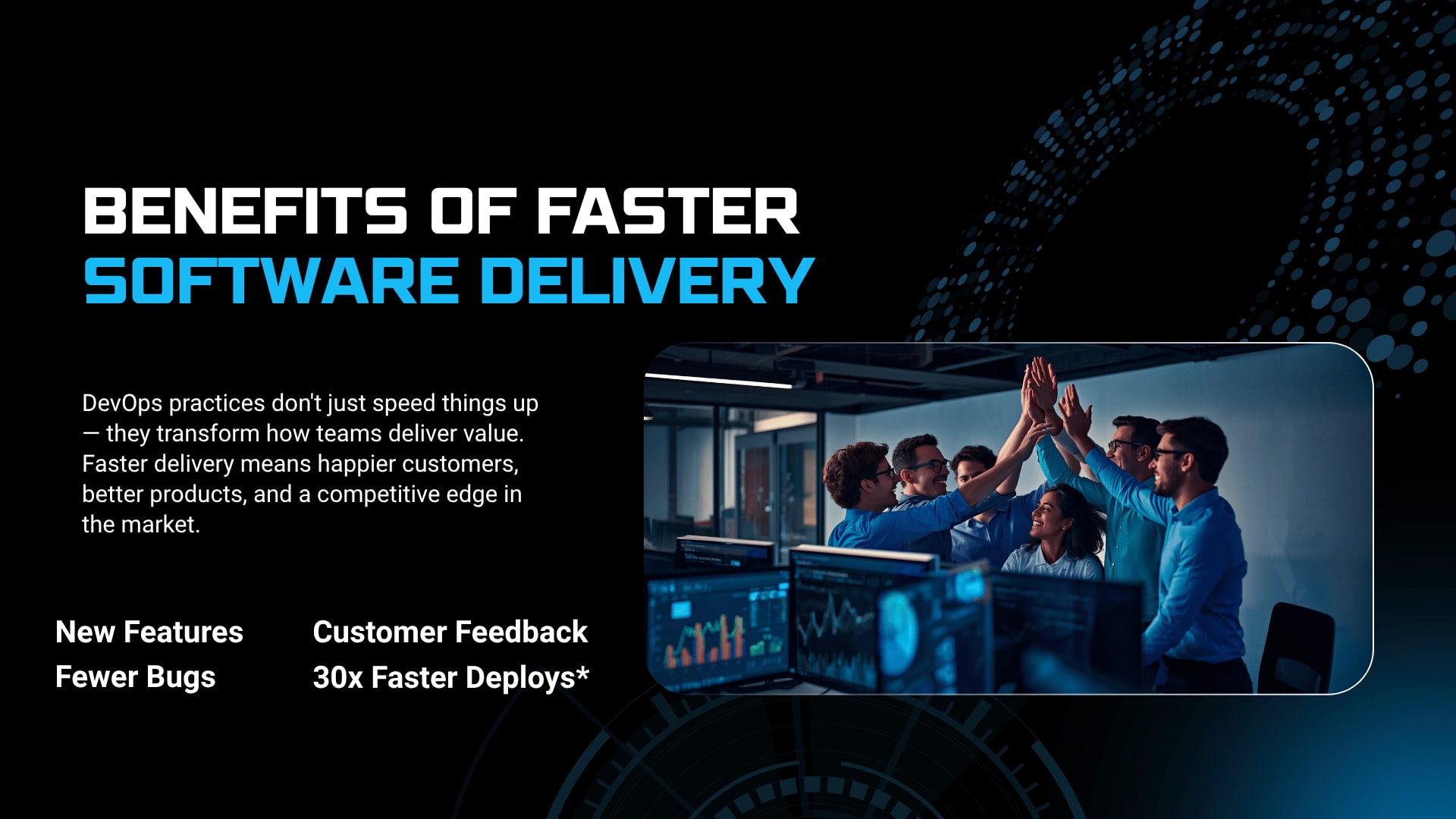
DevOps Best Practices create a structured framework that combines automation, collaboration, continuous improvement, and operational reliability to accelerate software delivery. These practices help teams reduce deployment failures, shorten release cycles, improve system stability, and deliver better customer experiences across the software development lifecycle.
DevOps is not a single tool or technology. It represents a way of working that brings development and operations teams together.
Traditional software teams often struggled with problems such as:
Slow deployments.
Manual testing processes.
Communication gaps.
Unpredictable release schedules.
Infrastructure inconsistencies.
Security vulnerabilities discovered late.
Difficult rollback procedures.
DevOps addresses these issues by introducing:
Continuous Integration.
Continuous Delivery.
Deployment automation.
Infrastructure as Code.
Monitoring and logging.
Collaborative workflows.
Automated testing.
Security integration.
Organizations that implement DevOps effectively often see:
Faster software releases.
Improved application performance.
Reduced operational costs.
Higher developer productivity.
Better customer satisfaction.
Faster incident resolution.
Greater business agility.
The goal is not simply faster deployments. The goal is reliable, repeatable, and secure software delivery.
How DevOps Changed Traditional Software Delivery
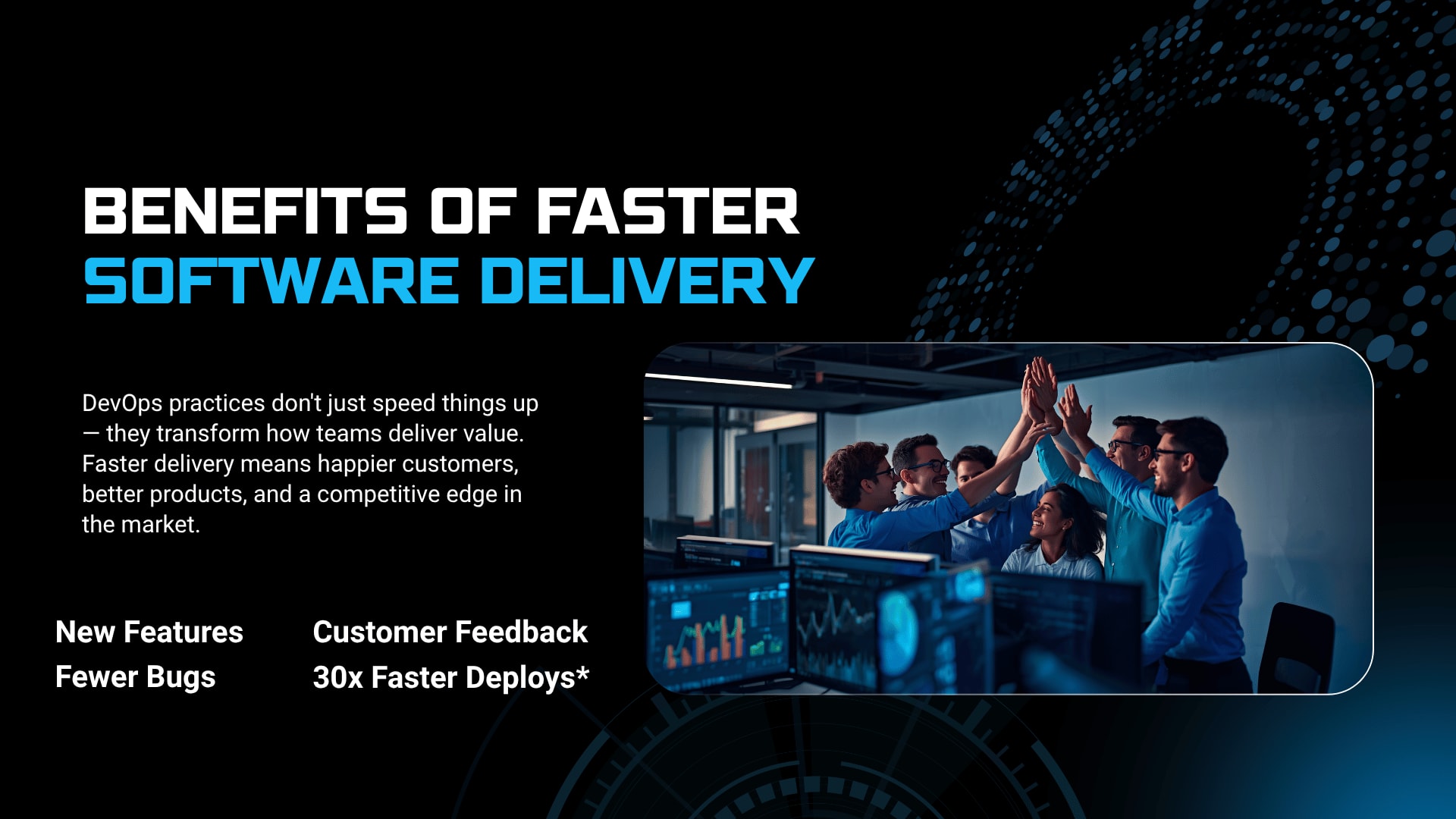
DevOps Best Practices replaced slow, siloed software processes with automated pipelines, shared responsibilities, and continuous feedback loops. Instead of waiting weeks or months for releases, teams can deploy features frequently while maintaining stability and security.
For many years, software projects followed rigid workflows.
Developers wrote code.
Operations teams managed infrastructure.
Security teams reviewed systems near release dates.
Testing teams worked independently.
The result was predictable:
Delayed releases.
Increased bugs.
Operational conflicts.
Infrastructure mismatches.
High deployment risk.
The contrast becomes clearer in the comparison below.
Traditional Software DeliveryDevOps Best PracticesManual deploymentsAutomated CI/CD pipelinesSlow release cyclesRapid and frequent releasesSiloed teamsCollaborative DevOps cultureHigh deployment riskContinuous testing and validationLimited monitoringReal-time observability and alerts
Organizations adopting DevOps often discover that cultural change matters just as much as technical change.
A company may purchase advanced DevOps tools, but without collaboration and process improvements, software delivery bottlenecks remain.
Build a Strong DevOps Culture Before Investing in Tools
DevOps Best Practices succeed when organizations build a collaborative culture that encourages shared ownership, faster communication, and continuous improvement. Technology alone cannot solve deployment problems if teams continue to work in separate silos.
Many DevOps transformations fail because companies focus only on tools.
Experienced engineering leaders often observe the same patterns:
Developers optimize for feature speed.
Operations prioritize system stability.
Security teams focus on risk reduction.
Product teams push aggressive deadlines.
Without alignment, conflicts emerge.
Successful DevOps cultures encourage:
Shared deployment ownership.
Transparent communication.
Cross-functional teams.
Blameless postmortems.
Continuous learning.
Early security involvement.
Create Shared Responsibility Across Teams
DevOps Best Practices become sustainable when development, operations, testing, and security teams share accountability for application performance and software delivery outcomes.
In mature DevOps environments:
Developers monitor production systems.
Operations engineers contribute to application architecture.
QA teams automate testing.
Security experts participate early.
This approach reduces handoff delays and improves decision-making.
Encourage Fast Feedback Loops
DevOps Best Practices rely on rapid feedback to identify bugs, performance issues, and deployment risks before they impact users.
Fast feedback includes:
Automated test results.
CI/CD notifications.
Monitoring alerts.
User analytics.
Incident reports.
Security scans.
Short feedback cycles help teams release software confidently.
Implement CI/CD Pipelines for Faster Releases
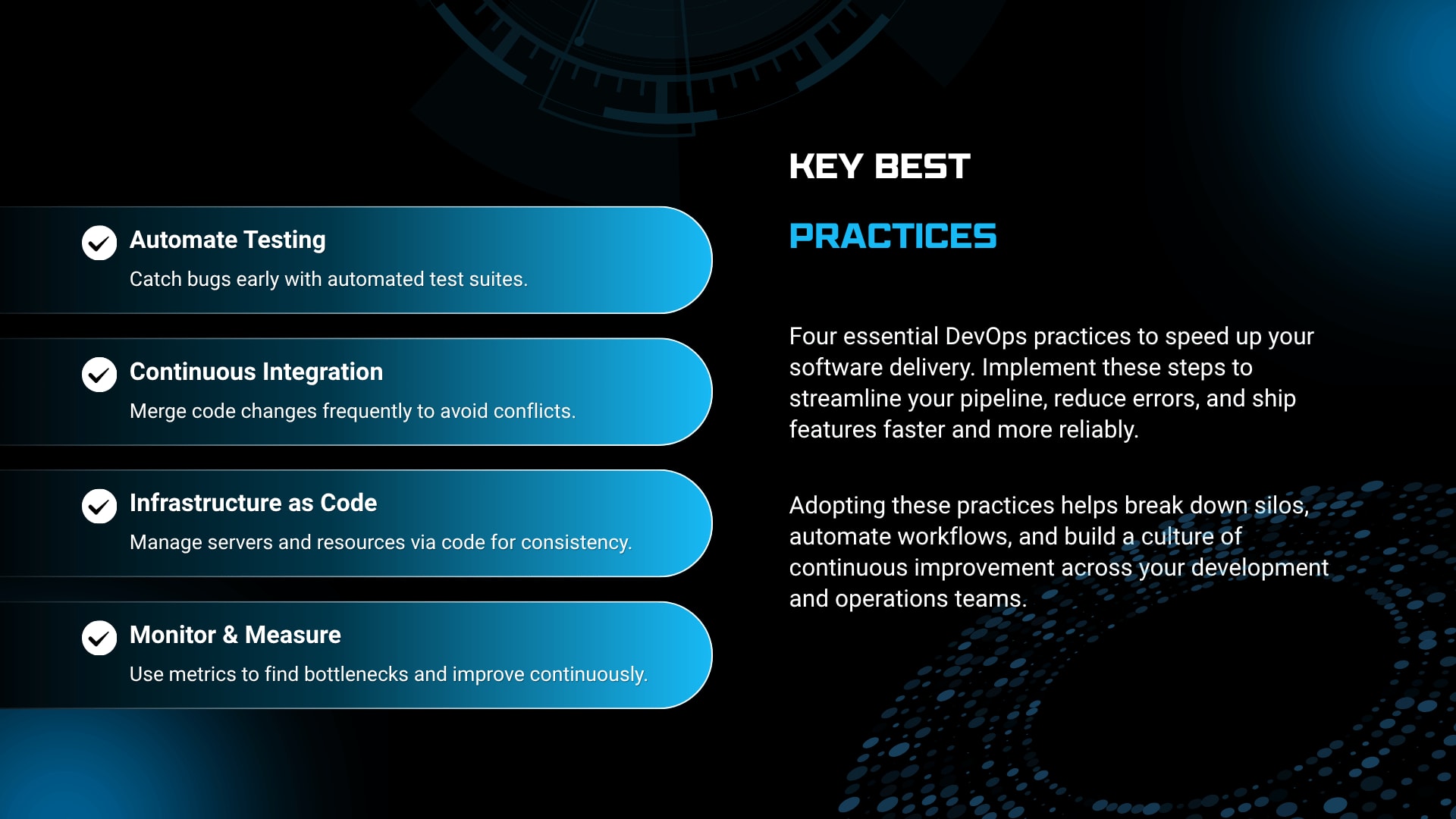
DevOps Best Practices depend heavily on CI/CD pipelines because they automate building, testing, and deployment tasks. Continuous Integration and Continuous Delivery reduce manual work and allow teams to release software faster with fewer errors.
A CI/CD pipeline acts as the backbone of modern software engineering.
Its purpose is simple:
Validate code automatically.
Detect issues early.
Deploy changes consistently.
Reduce human error.
A mature CI/CD pipeline usually includes:
Source code commit.
Automated build.
Unit testing.
Security scanning.
Integration testing.
Container packaging.
Deployment automation.
Monitoring validation.
Popular CI/CD tools include:
Jenkins.
GitHub Actions.
GitLab CI/CD.
Azure DevOps.
CircleCI.
Argo CD.
Use Continuous Integration to Catch Problems Early
DevOps Best Practices emphasize Continuous Integration because frequent code integration reduces conflicts and improves software quality.
Continuous Integration encourages developers to:
Commit code frequently.
Run automated tests.
Detect bugs early.
Validate dependencies.
Improve collaboration.
Teams that integrate code only once every few weeks often face painful merge conflicts.
Frequent integration prevents those bottlenecks.
Adopt Continuous Delivery for Predictable Releases
DevOps Best Practices recommend Continuous Delivery because it ensures applications remain deployable at any time through automated validation and release workflows.
Continuous Delivery focuses on:
Release consistency.
Automated quality checks.
Rollback readiness.
Environment parity.
Engineering teams gain flexibility because releases become business decisions rather than technical challenges.
Understand Continuous Deployment Carefully
DevOps Best Practices use Continuous Deployment selectively, depending on business requirements, risk tolerance, and regulatory constraints.
Continuous Deployment automatically releases validated code into production.
It works well for:
SaaS platforms.
Consumer applications.
Cloud-native services.
It may require extra controls in:
Banking.
Healthcare.
Government systems.
Not every organization needs full automation.
The right balance depends on operational maturity.
Use Version Control and Git Effectively
DevOps Best Practices require strong version control systems because every code change, infrastructure update, and deployment configuration must remain traceable and recoverable. Git has become the standard foundation for collaborative software development.
Version control affects far more than application code.
Modern teams store:
Infrastructure definitions.
Kubernetes manifests.
Docker configurations.
CI/CD pipelines.
Security policies.
Documentation.
Git workflows commonly include:
Feature branches.
Pull requests.
Code reviews.
Release branches.
Tagging strategies.
Establish Clear Branching Strategies
DevOps Best Practices reduce deployment confusion when teams adopt consistent Git branching models.
Common strategies include:
Git Flow.
Trunk-based development.
Feature branching.
Release branching.
Many high-performing engineering teams now favor trunk-based development because it supports rapid deployments and shorter feedback loops.
Automate Code Reviews
DevOps Best Practices combine human expertise with automated code analysis to improve quality and reduce defects.
Automated review pipelines often include:
Static code analysis.
Dependency scanning.
Security validation.
Formatting checks.
Test coverage reports.
Code reviews become faster and more reliable.
Embrace Infrastructure as Code for Consistency
DevOps Best Practices use Infrastructure as Code to automate server provisioning, configuration management, and cloud resource deployment. Infrastructure definitions stored as code create consistency across environments and reduce operational mistakes.
Infrastructure problems frequently cause deployment failures.
A common scenario:
An application works perfectly in staging but fails in production because the server configurations differ.
Infrastructure as Code solves this problem.
Popular Infrastructure as Code tools include:
Terraform.
AWS CloudFormation.
Pulumi.
Ansible.
Key benefits include:
Reproducibility.
Faster provisioning.
Better disaster recovery.
Version control integration.
Reduced manual configuration.
Treat Infrastructure Like Software
DevOps Best Practices recommend managing infrastructure with the same discipline applied to application code.
Teams should:
Store configurations in Git.
Review infrastructure changes.
Test deployments automatically.
Track version history.
Roll back safely.
Infrastructure becomes predictable rather than fragile.
Automate Configuration Management
DevOps Best Practices improve operational stability when configuration management is automated across development, staging, and production environments.
Configuration management tools help maintain:
Application settings.
User permissions.
System packages.
Security policies.
Environment variables.
Consistency reduces unexpected outages.
Standardize Applications with Docker Containers
DevOps Best Practices rely on Docker to package applications and dependencies into portable containers that behave consistently across environments. Docker reduces compatibility problems and simplifies deployment automation.
Containerization transformed software delivery.
Instead of deploying applications directly onto servers, teams package everything needed into lightweight containers.
Docker provides:
Environment consistency.
Faster deployment.
Improved scalability.
Better isolation.
Easier testing.
A startup launching a new API may deploy containers in development laptops, testing environments, and production clusters without changing application behavior.
That consistency saves countless engineering hours.
Build Small and Efficient Containers
DevOps Best Practices improve performance and security when Docker images remain lightweight and optimized.
Teams should:
Minimize dependencies.
Remove unnecessary packages.
Use trusted base images.
Scan for vulnerabilities.
Keep images updated.
Smaller containers start faster and reduce security risks.
Scale Modern Applications with Kubernetes
DevOps Best Practices use Kubernetes to automate container orchestration, scaling, failover management, and service discovery. Kubernetes helps organizations manage complex cloud-native applications efficiently.
Container adoption creates new challenges.
Managing dozens of containers manually quickly becomes impossible.
Kubernetes solves problems such as:
Service discovery.
Load balancing.
Auto-scaling.
High availability.
Rolling updates.
Resource allocation.
Large enterprises commonly run:
APIs.
Payment systems.
Customer portals.
Data services.
Internal platforms.
All within Kubernetes clusters.
Use Kubernetes for Automated Scaling
DevOps Best Practices improve application reliability when Kubernetes automatically scales resources according to demand.
Examples include:
E-commerce traffic spikes.
Streaming events.
Product launches.
Seasonal campaigns.
Automatic scaling prevents outages while controlling cloud costs.
Implement Rolling Deployments
DevOps Best Practices minimize downtime through rolling deployments and gradual releases within Kubernetes environments.
Rolling deployments allow teams to:
Release incrementally.
Monitor system health.
Detect failures quickly.
Roll back safely.
Users experience fewer disruptions.
Integrate Security Early Through DevSecOps
DevOps Best Practices now include DevSecOps, which embeds security controls throughout the software development lifecycle rather than treating security as a final review step.
Security delays often slow software delivery.
Traditional workflows placed security reviews near release dates.
The consequences included:
Emergency fixes.
Delayed launches.
Compliance risks.
Production vulnerabilities.
DevSecOps changes that model.
Security becomes part of:
Development.
Testing.
CI/CD pipelines.
Deployment automation.
Infrastructure management.
Automate Security Testing
DevOps Best Practices strengthen secure software development by integrating automated security checks into CI/CD pipelines.
Common security automation includes:
Static application security testing.
Dependency scanning.
Container scanning.
Secret detection.
Compliance checks.
Problems are identified before production releases.
Shift Security Left
DevOps Best Practices encourage teams to address security concerns earlier in the development process.
Shift-left security helps:
Reduce remediation costs.
Improve developer awareness.
Minimize vulnerabilities.
Accelerate compliance.
Organizations with mature DevSecOps programs often deploy faster because fewer issues appear late in the cycle.
Invest in Monitoring and Logging for Reliable Operations
DevOps Best Practices depend on monitoring and logging because teams need real-time visibility into system health, user behavior, and application performance. Faster software delivery is impossible without observability.
Deploying software is only the beginning.
Teams must understand:
Response times.
Infrastructure health.
Error rates.
Resource usage.
User experience.
Monitoring platforms commonly include:
Prometheus.
Grafana.
Datadog.
New Relic.
Splunk.
Implement Application Performance Monitoring
DevOps Best Practices improve operational stability when Application Performance Monitoring tools continuously measure service health and performance.
APM systems track:
API latency.
Database queries.
Request failures.
CPU utilization.
Memory consumption.
Engineers gain actionable insights before customers notice problems.
Build Centralized Logging Systems
DevOps Best Practices reduce troubleshooting time when logs are collected and analyzed centrally.
Centralized logging enables teams to:
Investigate incidents quickly.
Correlate failures.
Track deployments.
Identify recurring issues.
Fast diagnosis improves uptime.
Automate Everything That Repeats
DevOps Best Practices accelerate software delivery by automating repetitive tasks such as testing, deployments, infrastructure provisioning, monitoring, and release management.
Manual work creates delays.
It also introduces inconsistency.
Automation removes bottlenecks from:
Build pipelines.
Infrastructure creation.
Security validation.
Database migrations.
Release workflows.
Common automation targets include:
Test execution.
Environment setup.
Deployment approvals.
Backup procedures.
Scaling policies.
Teams should ask one question repeatedly:
Can this task be automated?
If the answer is yes, automation usually pays off.
Improve Release Management and Deployment Automation
DevOps Best Practices strengthen release management through predictable deployment automation, rollback strategies, and controlled production changes. Reliable releases matter more than simply releasing faster.
Many organizations struggle with release complexity.
Challenges include:
Dependency conflicts.
Last-minute fixes.
Manual approvals.
Inconsistent environments.
Effective release management includes:
Release calendars.
Automated deployments.
Rollback plans.
Canary releases.
Approval workflows.
Monitoring checkpoints.
Large enterprises often release thousands of changes weekly because automation makes scale manageable.
Use Canary and Blue-Green Deployments
DevOps Best Practices reduce deployment risk through controlled release strategies such as canary deployments and blue-green deployments.
Benefits include:
Safer releases.
Easier rollback.
Reduced downtime.
Improved user experience.
Even small startups can benefit from gradual rollout strategies.
Align DevOps with Agile Development
DevOps Best Practices work best when paired with Agile development because both approaches emphasize collaboration, rapid feedback, and incremental improvement.
Agile focuses on:
Short iterations.
Customer feedback.
Flexible planning.
DevOps extends those ideas into operations.
Together, they create:
Faster feature delivery.
Better team communication.
More predictable releases.
Improved customer satisfaction.
Organizations that adopt Agile without DevOps often discover that development speeds increase while deployment bottlenecks remain.
The two disciplines complement each other.
Build Cloud-Native Systems with Cloud DevOps
DevOps Best Practices support cloud-native architectures by combining automation, scalability, and operational resilience across modern cloud platforms. Cloud DevOps enables teams to deploy and manage applications efficiently.
Cloud computing changed software engineering dramatically.
Teams can provision infrastructure in minutes rather than weeks.
Cloud DevOps capabilities include:
Auto-scaling.
Managed databases.
Serverless services.
Global deployments.
Disaster recovery.
Readers interested in cloud-native DevOps strategies can explore the official AWS DevOps resources at https://aws.amazon.com/devops/ and Google's cloud engineering documentation at https://cloud.google.com/devops.
Plan Cloud Migration Carefully
DevOps Best Practices help organizations avoid cloud migration failures through careful planning and phased implementation.
Successful migration projects often follow these stages:
Infrastructure assessment.
Dependency mapping.
Containerization.
CI/CD implementation.
Monitoring integration.
Security validation.
Many enterprises underestimate migration complexity.
Legacy systems often require significant modernization.
Optimize Costs Alongside Performance
DevOps Best Practices encourage teams to balance cloud performance with operational efficiency and cost management.
Common cost-control techniques include:
Auto-scaling.
Resource limits.
Reserved instances.
Usage monitoring.
Storage optimization.
Cloud success depends on both engineering quality and financial discipline.
Support Microservices and Platform Engineering
DevOps Best Practices enable microservices architectures and platform engineering models that improve scalability, team autonomy, and deployment speed.
Monolithic systems often slow innovation.
Microservices allow teams to:
Deploy independently.
Scale selectively.
Reduce dependencies.
Experiment faster.
Platform engineering complements DevOps by creating shared internal tools and infrastructure.
Platform teams frequently provide:
Deployment templates.
CI/CD platforms.
Security controls.
Monitoring systems.
Kubernetes clusters.
This reduces duplication across engineering teams.
Avoid Microservices Too Early
DevOps Best Practices recognize that microservices are not always the right choice for every company.
Startups with small engineering teams may succeed with monoliths.
Premature complexity creates:
Operational overhead.
Increased costs.
More failures.
Coordination challenges.
Architecture decisions should match business needs.
Common DevOps Mistakes That Slow Software Delivery
DevOps Best Practices prevent many common mistakes, but organizations still face challenges when adopting automation, cloud infrastructure, and modern deployment workflows.
Real-world DevOps transformations often encounter obstacles.
Common mistakes include:
Automating broken processes.
Ignoring organizational culture.
Treating DevOps as a tooling project.
Skipping monitoring.
Delaying security integration.
Creating overly complex pipelines.
Neglecting documentation.
Mistake 1: Buying Tools Without Changing Processes
Organizations sometimes invest heavily in DevOps tools while keeping outdated approval chains and siloed teams.
The result:
Expensive platforms.
Slow releases.
Frustrated engineers.
Processes must evolve alongside technology.
Mistake 2: Building Fragile CI/CD Pipelines
Pipelines overloaded with unnecessary checks often become bottlenecks.
Teams should focus on:
Fast execution.
Reliable testing.
Clear reporting.
Easy maintenance.
Mistake 3: Ignoring Observability
Without monitoring and logging:
Performance issues go unnoticed.
Debugging becomes difficult.
Customers experience outages first.
Visibility is essential.
Startup Versus Enterprise DevOps Approaches
DevOps Best Practices differ between startups and enterprises because team size, regulatory requirements, budgets, and infrastructure complexity vary significantly.
Startups often prioritize:
Fast experimentation.
Lean infrastructure.
Rapid deployment.
Small engineering teams.
Enterprises prioritize:
Governance.
Security controls.
Compliance.
Reliability.
Startup environments may deploy several times daily with lightweight approval processes.
Enterprise environments frequently require:
Audit trails.
Security reviews.
Multi-region deployment.
Complex release management.
Neither model is inherently better.
The most effective approach depends on business goals.
Real-World DevOps Implementation Scenario
DevOps Best Practices produce measurable improvements when organizations combine automation, cloud infrastructure, security integration, and collaborative workflows.
Consider a mid-sized SaaS company experiencing:
Monthly releases.
Frequent outages.
Slow testing.
Manual deployments.
The company introduces:
Git-based workflows.
Docker containers.
Kubernetes orchestration.
Automated CI/CD pipelines.
Infrastructure as Code.
DevSecOps controls.
Centralized monitoring.
Six months later, the results include:
Weekly releases instead of monthly deployments.
Reduced downtime.
Faster incident response.
Improved developer productivity.
Better customer satisfaction.
This transformation does not happen overnight.
Teams typically progress through multiple stages:
Standardization.
Automation.
Observability.
Security integration.
Optimization.
Patience and continuous improvement remain essential.
How Amzsoft Innovexa Supports Modern DevOps Adoption
DevOps Best Practices often require specialized expertise in cloud infrastructure, automation, Kubernetes, Docker, and secure deployment pipelines. Companies implementing large-scale transformations frequently seek experienced technical partners to accelerate adoption.
Organizations exploring enterprise modernization often need guidance with:
DevOps consulting.
CI/CD implementation.
Infrastructure automation.
Cloud migration.
Docker solutions.
Kubernetes deployment.
DevSecOps integration.
Cloud architecture modernization.
Enterprise software development.
Teams evaluating these technologies can learn more about cloud engineering and digital transformation services through Amzsoft Innovexa at https://www.amzsoftinnovexa.com/.
Educational support from experienced engineering teams often helps businesses avoid common mistakes, reduce deployment risks, and create scalable systems that support long-term growth.
The Future of DevOps Best Practices
DevOps Best Practices continue to evolve as artificial intelligence, platform engineering, cloud-native technologies, and automation reshape software delivery. Teams that adapt early will gain significant advantages in speed, reliability, and innovation.
Several trends are shaping the next generation of DevOps:
AI-assisted operations.
Predictive monitoring.
Self-healing infrastructure.
Advanced DevSecOps.
Platform engineering.
GitOps workflows.
Serverless computing.
Intelligent deployment automation.
Engineering leaders increasingly focus on developer experience as a competitive advantage.
Future DevOps environments will likely emphasize:
Greater automation.
Faster feedback loops.
Stronger security controls.
Improved observability.
Simplified infrastructure management.
Smarter cloud optimization.
The core principles, however, remain unchanged.
Successful software delivery depends on collaboration, automation, continuous learning, and operational excellence.
Organizations that embrace these foundations position themselves to deliver software faster, respond to market changes more effectively, and build systems that scale with confidence.
Amzsoft Innovexa
Engineering and delivery notes from the Amzsoft Innovexa team — fintech platforms, AI automation, and product engineering.