
Introduction
Cloud computing gives growing businesses the flexibility to launch applications, expand infrastructure, support remote teams, and serve customers without investing heavily in physical hardware. However, as a company grows, its cloud expenses can increase faster than expected. More users, larger databases, additional environments, background services, and increasing data storage requirements can gradually turn a manageable monthly bill into a significant operational expense.
Implementing effective Cloud Cost Optimization Strategies for Growing Businesses helps organizations control infrastructure spending while maintaining application performance, security, reliability, and scalability. The goal is not simply to spend less on cloud services. It is to ensure that every resource delivers measurable business value.
For startups, cloud cost optimization can extend the available technology budget and support sustainable growth. For established businesses, it can improve operational efficiency, strengthen financial planning, and help technology teams make better infrastructure decisions.
Cloud cost optimization involves understanding spending patterns, identifying underutilized resources, selecting suitable pricing models, automating infrastructure management, and continuously measuring performance against cost. It also requires cooperation between engineering, finance, product, and business teams.
A structured approach can help organizations optimize spending across Amazon Web Services (AWS), Microsoft Azure, and Google Cloud without making unnecessary compromises in service quality.
Amzsoft Innovexa provides Cloud & DevOps services that include infrastructure as code, monitoring, CI/CD, cloud cost optimization, and infrastructure automation as described on its service page. These practices are relevant to businesses seeking a more consistent and manageable approach to cloud operations.

1. Understanding Why Cloud Costs Increase as Businesses Grow
Before reducing cloud expenses, organizations must understand what drives them. Cloud invoices often contain charges from multiple services, regions, environments, storage systems, network transfers, and licensing arrangements. Without a clear view of these expenses, it becomes difficult to identify the most valuable optimization opportunities.
Common Causes of Rising Cloud Bills
Several factors contribute to increasing cloud infrastructure costs:
Overprovisioned resources: Virtual machines, databases, and containers may have more processing power or memory than workloads require.
Unused infrastructure: Old development servers, unattached storage volumes, abandoned snapshots, and inactive load balancers may continue generating charges.
Uncontrolled scaling: Applications may automatically create additional resources without appropriate limits or scaling policies.
Inefficient storage: Frequently accessed data may be stored in expensive tiers, while obsolete files and backups accumulate.
Excessive data transfer: Communication between cloud regions, availability zones, or external networks can create additional charges.
Poor environment management: Development, testing, and staging systems may remain active even when nobody needs them.
Unsuitable pricing models: Businesses may pay standard rates for workloads that would be better suited to commitment-based pricing or other purchasing options.
Limited cost visibility: Teams may not know which applications, departments, or projects generate particular expenses.
Growth itself is not necessarily the problem. The real issue is allowing infrastructure consumption to increase without regularly reviewing utilization, architecture, and business demand.
Distinguishing Productive Spending From Waste
Not every expensive cloud service is inefficient. A database supporting a high-volume customer application may justify substantial spending if it delivers the required performance and reliability. Meanwhile, a relatively inexpensive development server that remains idle for weeks may represent unnecessary expenditure.
Businesses should evaluate cloud spending against workload purpose, utilization, service quality, and business outcomes.
For example, a growing e-commerce business might experience a rise in database and application costs during a major sales campaign. If those expenses support higher order volumes and revenue, they may be appropriate. However, if the same infrastructure remains oversized during quieter periods, the company may benefit from rightsizing and autoscaling.
The objective is to distinguish necessary investment from avoidable waste rather than applying indiscriminate budget cuts.
Why Cloud Cost Management Should Begin Early
Cloud cost management becomes more difficult when resource ownership, naming conventions, billing structures, and deployment processes are inconsistent.
Early planning allows businesses to establish spending budgets, assign resources to owners, document infrastructure requirements, and create repeatable deployment practices before complexity increases.
A basic cost management framework should answer five questions:
Which cloud services are consuming the most money?
Which teams, products, or environments are responsible for the expenses?
Are those resources being used efficiently?
What performance, availability, and security requirements must be preserved?
How will the organization measure whether an optimization actually works?
Clear answers establish a practical foundation for ongoing cloud infrastructure cost reduction.
2. Cloud Cost Optimization Strategies for Growing Businesses That Deliver Practical Results
The most effective optimization programs combine resource-level improvements with better financial visibility, workload architecture, automation, and accountability. The following strategies provide a practical framework for organizations at different stages of cloud adoption.
Strategy 1: Audit Cloud Resources and Identify Waste
A cloud resource audit is one of the most useful starting points because it reveals what an organization is paying for and whether those resources remain necessary.
The audit should cover virtual machines, managed databases, storage volumes, object storage, snapshots, containers, load balancers, networking services, serverless functions, and other billable components.
Begin by collecting billing information and resource utilization data for a representative period. Thirty to ninety days can provide a useful initial view for many workloads, although seasonal applications and irregular batch-processing systems may require longer observation periods.
Look for:
Virtual machines with consistently low CPU and memory utilization.
Storage volumes that are unattached or no longer required.
Snapshots and backups retained beyond approved retention periods.
Development servers that remain active outside working hours.
Load balancers with no meaningful traffic.
Databases running larger configurations than necessary.
Container clusters with substantial unused capacity.
Duplicate monitoring, logging, or data-processing workloads.
Before deleting anything, verify its owner, dependencies, retention requirements, and recovery implications. Some apparently inactive resources support disaster recovery, compliance, or infrequent business processes.
A controlled cleanup process should document the resource, its purpose, the proposed action, the expected benefit, the associated risk, and the rollback procedure.
Practical example: A software company may discover that an old testing environment is still running several virtual machines even though the project ended months ago. After confirming that the environment is no longer required and that relevant data has been retained, the company can decommission the resources and monitor the following billing cycle for the expected reduction.
This approach delivers a direct benefit without requiring a major architectural redesign.
Strategy 2: Rightsize Virtual Machines and Cloud Instances
Rightsizing means selecting infrastructure capacity that matches the actual requirements of a workload.
Businesses frequently select larger instances than necessary during initial deployment because they want to avoid performance problems. While this can be reasonable during early development, retaining the same configuration indefinitely can lead to overprovisioning.
A rightsizing assessment should examine:
Average and peak CPU utilization.
Memory consumption and memory pressure.
Disk throughput and input/output operations.
Network traffic.
Application response times.
Database connection counts and query latency.
Workload variability and growth expectations.
CPU utilization alone is not enough to justify reducing an instance size. A system with low average CPU usage may still require substantial memory or network capacity. Similarly, an application that experiences brief but critical traffic spikes needs enough headroom to handle those periods safely.
The process should begin with monitoring data rather than assumptions. Engineers can then evaluate smaller instance types, alternative processor families, or configurations better suited to the workload.
Where practical, changes should be tested in staging or introduced gradually. After resizing, teams should compare application latency, error rates, resource utilization, and availability against established baselines.
Rightsizing can also involve selecting managed services or different compute options when they better match the application's requirements.
The objective is to avoid paying for unnecessary capacity without introducing instability.
Strategy 3: Use Autoscaling to Match Resources With Demand
Autoscaling automatically adjusts available computing capacity in response to workload demand or defined schedules. It is particularly useful for applications with variable traffic, seasonal usage, or unpredictable processing requirements.
Without autoscaling, businesses may keep enough infrastructure running for peak demand throughout the day. That approach can leave significant capacity idle during quieter periods.
With appropriately configured cloud autoscaling, capacity can increase when demand rises and decrease when demand falls.
For example, a learning platform may experience higher traffic during examination periods and lower usage overnight. Autoscaling can help the platform allocate additional application capacity when needed while reducing unnecessary instances during quieter periods.
Effective autoscaling requires more than enabling a feature. Organizations should define:
Minimum and maximum instance counts.
CPU, memory, queue depth, or request-based scaling triggers.
Cooldown periods and stabilization behavior.
Application startup and shutdown requirements.
Database capacity constraints.
Health checks and failure-handling procedures.
Monitoring alerts for unusual scaling activity.
Maximum limits are especially important. An unexpected traffic pattern, faulty scaling metric, or application loop should not be allowed to create unlimited infrastructure growth.
Autoscaling also cannot solve every capacity problem. Databases, stateful services, and tightly coupled applications may require additional planning before they can scale safely.
When implemented carefully, autoscaling supports a better balance between cost efficiency and application responsiveness.
Strategy 4: Select the Right Cloud Pricing Model
Cloud providers offer different purchasing options for computing resources. Choosing an appropriate model can reduce spending when usage patterns are understood and workloads are matched to the right commitment level.
The main options include on-demand pricing, commitment-based discounts, and interruptible capacity such as spot instances where supported.
Pricing modelBest suited forMain considerationOn-demandVariable, short-term, or uncertain workloadsGreater flexibility, but standard rates may be higherReserved capacity or savings plansPredictable workloads with suitable long-term usageDiscounts may require commitments and careful planningSpot or preemptible capacityFault-tolerant batch jobs and interruptible workloadsCapacity can be interrupted, so workloads must handle it safely
On-Demand Pricing
On-demand resources are generally useful when a business needs flexibility or cannot confidently predict future usage.
They can be suitable for prototypes, short-lived projects, variable workloads, and applications undergoing significant architectural changes.
Their flexibility may be worth the additional cost when long-term commitments would create financial risk.
Reserved Capacity and Savings-Based Options
Commitment-based purchasing can provide lower effective rates for eligible resources when the organization has sufficiently predictable usage.
Before making a commitment, businesses should examine historical utilization, future capacity requirements, resource eligibility, and the commercial terms.
A commitment should not be based solely on a temporary usage spike. If the workload is discontinued or demand declines, the organization may continue paying for a level of usage it no longer needs, depending on the selected purchasing arrangement.
A sensible approach is to optimize waste first, identify stable baseline consumption, and then evaluate eligible commitment options.
Spot and Preemptible Capacity
Spot or preemptible resources can be economical for workloads that tolerate interruptions.
Examples include distributed data processing, certain automated tests, rendering jobs, and fault-tolerant batch operations.
They are less appropriate for critical workloads that cannot recover gracefully from interruptions.
Businesses should design retry mechanisms, checkpointing, workload distribution, and fallback capacity before relying on these options.
Compare the Total Cost, Not Just the Compute Rate
The cheapest compute option may not produce the lowest overall operating cost. Storage, network transfers, licensing, engineering effort, support, and availability requirements all influence the final result.
Pricing decisions should reflect the complete workload rather than one line item on a cloud bill.
Strategy 5: Optimize Storage and Data Retention
Cloud storage expenses can grow steadily as businesses accumulate application logs, uploaded files, backups, database exports, analytics datasets, and archived records.
Storage optimization begins with understanding how often data is accessed and how long it must be retained.
A practical storage strategy separates information into categories:
Frequently accessed data: Keep active application data in storage suited to regular access and performance requirements.
Infrequently accessed data: Consider lower-cost storage classes when retrieval requirements and access charges make them appropriate.
Long-term archival data: Use suitable archive options for information that must be retained but rarely accessed.
Temporary data: Remove temporary files, expired exports, and obsolete intermediate processing outputs according to approved policies.
Redundant copies: Review duplicated datasets and unnecessary backups without compromising recovery objectives.
Lifecycle policies can automatically transition eligible data between storage classes or delete it after an approved retention period.
However, businesses should account for retrieval fees, minimum storage durations, transition charges, and the time required to restore archived data. A cheaper storage tier may be unsuitable when users need immediate access.
Backup optimization deserves particular care. Deleting backups simply to reduce costs can increase recovery risk. Instead, organizations should establish retention schedules based on recovery point objectives, recovery time objectives, legal obligations, and business requirements.
Logging also requires attention. Excessively detailed logs retained indefinitely can create unnecessary storage and processing expenses. Teams should define useful logging levels, retention periods, and access policies while preserving the information needed for troubleshooting, security investigations, and compliance.
The best storage strategy balances cost, accessibility, durability, and data governance.
Strategy 6: Monitor Cloud Spending With Budgets and Alerts
Cloud spending monitoring helps businesses identify unexpected changes before they become persistent budget problems.
Native provider tools can show spending by service, account, subscription, project, or other supported dimensions. These views help teams understand where money is going and investigate unusual consumption patterns.
For example, AWS provides Cost Explorer and AWS Budgets. Microsoft Azure offers Cost Management capabilities, including cost analysis and budget alerts. Google Cloud provides billing reports and cost-management resources.
Official documentation is available here:
A practical monitoring process should include the following steps:
Establish a monthly budget for each major business unit, product, or workload.
Set thresholds that notify owners when spending approaches or exceeds predefined levels.
Review cost trends and forecasts regularly.
Investigate sudden increases in resource consumption or unit costs.
Assign responsibility for resolving each significant issue.
Verify whether corrective actions produce the intended results.
Budgets and alerts do not automatically stop all cloud charges. Some notifications can arrive after usage has occurred, and some services continue operating even when a budget threshold is exceeded.
Organizations should therefore distinguish between monitoring, alerting, and enforcement. Where appropriate, additional safeguards can include resource quotas, scaling limits, deployment approvals, and carefully tested automation.
Cost anomalies should trigger investigation rather than immediate deletion of resources. A sudden increase may indicate waste, but it may also reflect successful growth, a legitimate product launch, or an unusual business event.
Strategy 7: Improve Resource Allocation With Tags and Ownership
Cloud cost management becomes more effective when every significant resource has a clear purpose and accountable owner.
Resource tags, labels, account structures, and naming conventions can help organizations allocate spending across products, departments, customers, and environments.
Useful metadata fields may include:
Application or service name.
Business owner.
Technical owner.
Environment, such as development or production.
Department or cost center.
Project identifier.
Data classification.
Expiration date for temporary resources.
For example, a company may discover that its analytics department is responsible for a large portion of storage expenses. With reliable resource attribution, the team can investigate data retention, processing schedules, and access patterns instead of distributing the cost reduction target arbitrarily across the organization.
Tagging is useful only when teams apply it consistently. Businesses should define required fields, automate tagging where practical, and review untagged resources regularly.
Shared services also require a clear allocation method. Networking, security, monitoring, and common database infrastructure may support multiple products. Organizations can allocate these expenses using a documented method based on usage, capacity, or another reasonable cost driver.
Transparent allocation improves accountability without encouraging teams to make harmful cuts merely to reduce their own reported expenses.
Strategy 8: Optimize Containers and Kubernetes Infrastructure
Containers help teams package applications consistently, but they do not automatically guarantee efficient resource consumption.
Kubernetes clusters can become expensive when node capacity is oversized, workloads request excessive CPU or memory, autoscaling is poorly configured, or nonproduction environments remain active unnecessarily.
Container cost optimization should consider both application-level resource settings and the infrastructure underneath them.
Important practices include:
Setting realistic CPU and memory requests based on observed usage.
Applying appropriate memory and CPU limits where suitable.
Reviewing pod utilization and node capacity.
Using cluster autoscaling or compatible node-provisioning tools when appropriate.
Separating critical workloads from flexible, lower-priority workloads when necessary.
Scheduling development clusters to stop or scale down outside working hours.
Removing abandoned namespaces, workloads, and unused persistent volumes.
Monitoring resource fragmentation and workloads that cannot fit efficiently on available nodes.
Requests and limits require careful tuning. Requests that are too high can leave cluster capacity underused, while limits that are too restrictive can cause throttling, restarts, or service instability.
Kubernetes optimization should therefore use workload measurements, performance testing, and availability requirements rather than blanket reductions.
For businesses operating multiple clusters, it is also important to understand the total cost of control-plane services, worker nodes, persistent storage, networking, observability, and operational overhead.
A well-managed container environment can support scalability and deployment consistency while reducing avoidable capacity waste.
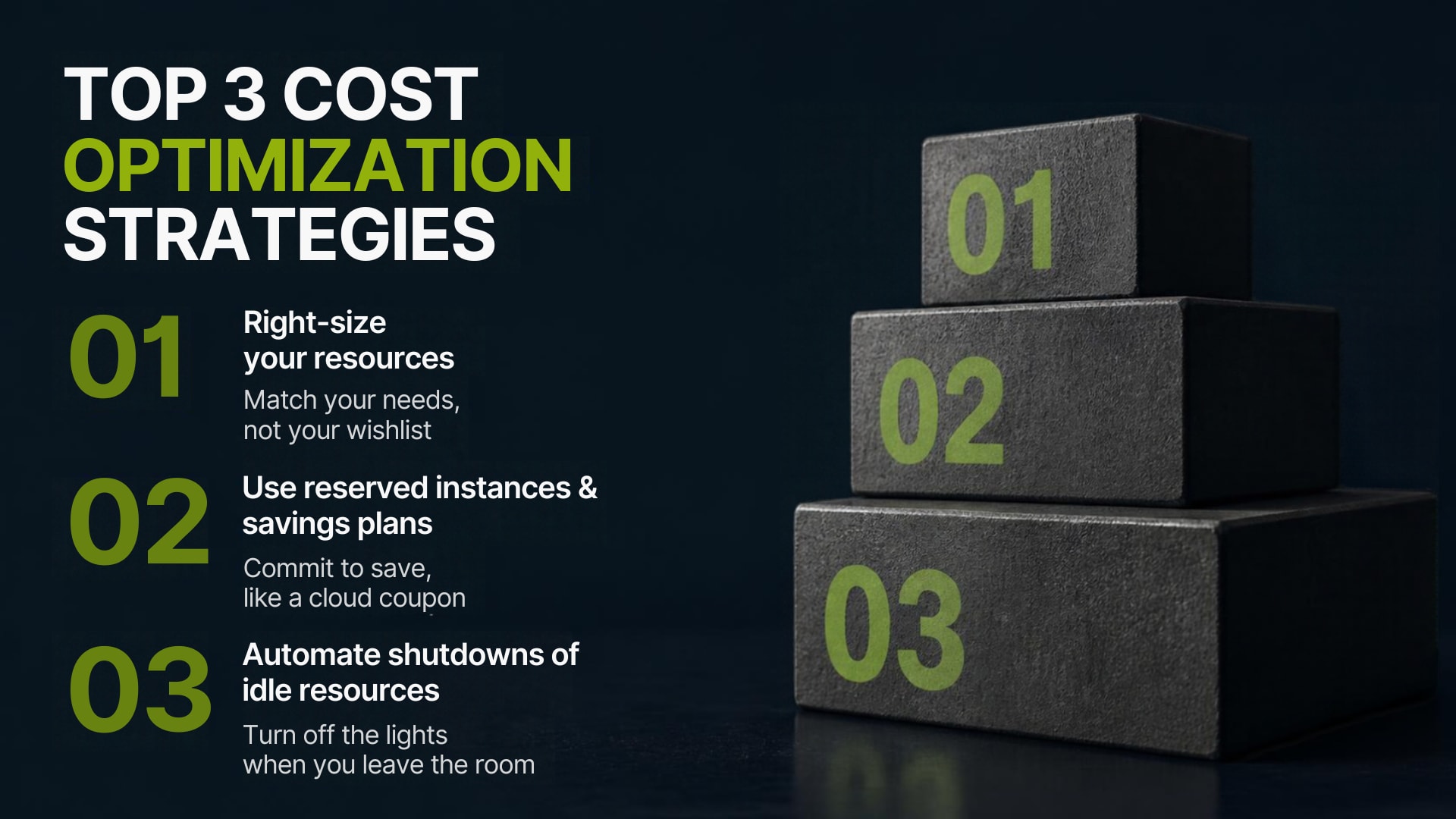
Strategy 9: Improve Development, Testing, and Staging Environments
Nonproduction infrastructure is a frequent source of preventable cloud expenditure.
Development and testing systems are essential for software quality, but many do not need to run continuously at production capacity.
Businesses can reduce unnecessary spending through scheduled shutdowns, temporary environments, smaller nonproduction instances, and automated cleanup policies.
Useful practices include:
Scheduling development virtual machines to stop outside business hours.
Creating temporary testing environments for specific tasks.
Automatically removing preview environments after approved expiration dates.
Using smaller database configurations for suitable test workloads.
Reusing approved test datasets where security and privacy requirements permit.
Running automated tests against appropriately sized infrastructure.
Retaining staging capacity that accurately reflects the requirements of meaningful performance tests.
A staging environment should not always be a miniature production environment. Its configuration depends on its purpose. A system used for basic functional testing may need relatively little capacity, whereas a system used for realistic load testing may need production-like resources during scheduled test periods.
Automation is especially valuable here because manual cleanup often fails when teams become busy.
An environment lifecycle policy should define who can create resources, how long they can remain active, what data they may contain, and how they are safely removed.
Strategy 10: Reduce Network and Data Transfer Costs
Cloud network charges can be difficult to understand because they depend on architecture, service type, region, traffic direction, and provider-specific pricing rules.
Common cost drivers include data transfers between regions, transfers between availability zones, outbound traffic to the internet, content delivery, and repeated movement of large datasets.
Organizations should map how data travels between applications, databases, storage systems, and users.
Potential improvements include:
Placing frequently communicating components in suitable locations.
Reducing unnecessary cross-region data movement.
Using caching to avoid repeated retrieval of identical content.
Evaluating content delivery networks for suitable customer-facing workloads.
Processing data closer to where it is stored when practical.
Avoiding duplicate transfers between analytics pipelines.
Reviewing architecture before introducing additional regions or distributed services.
Moving everything into a single region is not always the right answer. Multi-region deployments may be necessary for disaster recovery, legal requirements, customer latency, or availability objectives.
Similarly, consolidating services can create bottlenecks or increase the impact of a regional failure.
Network cost optimization should therefore evaluate the complete architecture, including reliability and performance, rather than pursuing the lowest transfer bill in isolation.
Strategy 11: Use Infrastructure as Code for Consistent Resource Management
Infrastructure as Code (IaC) allows teams to define and manage infrastructure through version-controlled configuration files instead of relying entirely on manual setup.
Tools such as Terraform and cloud-native deployment frameworks can help organizations standardize resource creation, review changes, and reproduce approved environments.
IaC supports cloud cost optimization in several ways.
First, it makes resource configurations easier to inspect. Teams can review instance sizes, storage settings, scaling limits, and environment differences before changes are deployed.
Second, reusable modules encourage consistency. Development environments are less likely to accumulate unnecessary capacity when they follow approved templates.
Third, code reviews and automated checks can identify risky configurations before they reach production.
Fourth, infrastructure changes become easier to audit, reproduce, and roll back when appropriate.
A useful IaC governance process may include:
Approved baseline configurations.
Mandatory ownership and environment metadata.
Cost estimates for significant proposed changes.
Automated policy checks.
Review requirements for production infrastructure.
Drift detection between declared and deployed resources.
Documented procedures for decommissioning infrastructure.
IaC does not guarantee low cloud spending. Poorly designed templates can reproduce expensive configurations across every environment, and automation can create resources faster than teams can review them.
The value comes from combining repeatable provisioning with cost-aware policies and human oversight.
Strategy 12: Optimize Databases and Data Processing Workloads
Databases, analytics pipelines, and background processing jobs can become major cost drivers as transaction volumes and data volumes increase.
Optimization should begin with workload behavior rather than immediately selecting a smaller database instance.
For relational databases, teams can review query performance, connection pools, indexing, storage growth, backup retention, and replication requirements. Inefficient queries may consume unnecessary CPU and memory even when the database configuration is otherwise appropriate.
Caching can reduce repeated database reads when the application can tolerate the resulting data consistency model. Connection pooling can reduce the overhead associated with excessive connection creation.
For analytics workloads, businesses can examine whether jobs process unnecessary data, repeat expensive transformations, or run more frequently than business requirements justify.
Potential improvements include:
Processing only changed or relevant data where possible.
Optimizing query structure and partitioning.
Scheduling nonurgent batch jobs during suitable periods.
Selecting compute configurations appropriate to the workload.
Removing redundant processing stages.
Separating interactive analytics from flexible batch workloads.
Reviewing data retention and duplicate dataset storage.
Serverless or managed data services may reduce operational overhead for some workloads, but they are not automatically cheaper in every situation. Costs depend on workload frequency, duration, resource consumption, data transfer, and service pricing.
Testing representative workloads helps businesses compare options using realistic cost and performance measurements.
Strategy 13: Apply FinOps Principles to Cloud Spending
FinOps is an operational approach that brings engineering, finance, and business teams together to improve the value organizations receive from cloud investment.
Rather than treating cloud bills as a finance-only responsibility, FinOps encourages teams to understand how their technical decisions affect spending and business outcomes.
A practical FinOps program includes three interconnected activities:
Inform: Make cloud costs visible through reliable billing data, allocation, budgets, and forecasts.
Optimize: Identify and implement improvements in resource utilization, architecture, purchasing, and operations.
Operate: Establish accountability, review results, and continuously improve policies and decisions.
For example, finance may identify that spending has risen beyond the quarterly forecast. Engineering can investigate whether the increase comes from inefficient queries, additional customer demand, or unexpected resource creation. Product leadership can then determine whether the additional expenditure supports a valuable business outcome.
This shared process avoids treating every cost increase as a failure.
Organizations should establish regular cost reviews, clear ownership, and shared metrics. Teams should also be encouraged to raise concerns early rather than hiding costs or delaying necessary infrastructure improvements.
FinOps is most effective when cost information becomes part of routine engineering and product decisions, not merely a monthly billing exercise.
Strategy 14: Improve DevOps Automation and Deployment Efficiency
DevOps practices can reduce unnecessary operational work and help teams manage infrastructure more consistently.
Continuous integration and continuous delivery (CI/CD) pipelines automate software building, testing, and deployment. When designed appropriately, they reduce manual deployment errors and improve the repeatability of releases.
Cost-aware DevOps practices can include:
Running automated tests only when relevant changes occur.
Reusing build artifacts instead of rebuilding identical outputs unnecessarily.
Cleaning up temporary build environments.
Optimizing container images and build processes.
Scheduling nonurgent processing tasks appropriately.
Reviewing CI/CD runner sizes and execution times.
Applying deployment policies that prevent accidental creation of oversized resources.
Monitoring infrastructure changes alongside application performance.
These improvements can reduce wasted compute time and engineering effort, although the effect depends on the pipeline architecture and workload.
Deployment automation must also preserve quality. Removing important tests or skipping security checks to shorten a pipeline can introduce more expensive failures later.
The best approach is to eliminate unnecessary work while keeping the controls needed for reliable software delivery.

Strategy 15: Use Architecture Decisions to Improve Cost Efficiency
Sometimes the largest opportunities require changing how an application is designed rather than adjusting individual resource sizes.
Architecture choices influence compute demand, storage requirements, network traffic, operational effort, and the cost of scaling.
For example, an application that repeatedly processes the same information may benefit from caching. A batch process that runs continuously while waiting for new work may benefit from an event-driven design. A suitable serverless architecture may eliminate the need to maintain continuously running servers for intermittent workloads.
Managed services can also reduce operational overhead when their pricing and capabilities fit the application.
However, architecture changes introduce trade-offs. Serverless services may have invocation, execution, or data-processing costs. Distributed architectures can increase network traffic and observability complexity. Caching can create invalidation and consistency challenges.
Businesses should compare options using representative workload patterns and a total-cost perspective that includes operational effort, security, availability, and future maintenance.
Architecture optimization is most valuable when it addresses a demonstrated bottleneck or recurring cost driver.
Strategy 16: Establish Cost-Aware Security and Governance
Cost reduction must never undermine essential security, privacy, or recovery requirements.
Security incidents can create significant financial consequences through downtime, data loss, emergency remediation, and unauthorized resource consumption. Strong governance therefore supports both risk management and cost control.
Organizations should maintain clear access controls, secure identity management, approved deployment processes, and visibility into resource creation.
Useful governance practices include:
Applying least-privilege access permissions.
Requiring appropriate approval for high-impact infrastructure changes.
Monitoring unusual resource creation and spending patterns.
Using quotas and scaling limits where appropriate.
Maintaining encryption and backup policies based on business requirements.
Reviewing externally exposed resources.
Removing obsolete access credentials and abandoned environments.
Documenting resource ownership and incident response responsibilities.
Security tools themselves can generate costs through logging, scanning, storage, and data processing. Those costs should be reviewed for efficiency, but essential controls should not be removed merely because they appear expensive.
A better approach is to ensure that security services are configured appropriately, logs have suitable retention policies, and duplicated controls are identified without creating gaps in protection.
Cost-aware governance helps businesses make deliberate infrastructure decisions while maintaining a defensible security posture.
Strategy 17: Measure Cloud Cost Optimization With Meaningful KPIs
A successful optimization program needs measurable outcomes. Lower monthly spending is useful, but it does not reveal whether the business is serving fewer customers, reducing waste, or genuinely improving efficiency.
Organizations should combine financial metrics with utilization, performance, reliability, and delivery indicators.
Useful key performance indicators include:
Total cloud spend: The overall cost over a defined period.
Cost per customer: Cloud spending divided by the number of customers served, when the measure is meaningful.
Cost per transaction: Infrastructure expenditure relative to completed business transactions.
Cost per workload: The cost of operating a specific application or service.
Resource utilization: CPU, memory, storage, and other relevant capacity measurements.
Budget variance: The difference between planned and actual spending.
Forecast accuracy: How closely projected spending matches actual expenditure.
Idle resource expenditure: Estimated costs associated with verified unused resources.
Availability and latency: Measures that help ensure optimization does not damage service quality.
Deployment and recovery performance: Indicators of operational effectiveness and resilience.
Unit economics are particularly useful for growing businesses. If cloud spending increases while transaction volume grows much faster, the organization may be becoming more cost-efficient even though its absolute bill is higher.
For example, a business that spends more because it serves substantially more customers should assess its cost per customer and service quality before deciding that the optimization program has failed.
Each KPI should have a defined calculation, reporting period, data source, and owner. This prevents different teams from interpreting success inconsistently.
Strategy 18: Balance Savings With Reliability and Scalability
The most important principle in cloud cost optimization is that lower spending must not come at the expense of essential business requirements.
Reducing redundancy in a critical application may lower its immediate bill while increasing the risk of an outage. Reducing database capacity too aggressively may lead to slow queries during peak traffic. Shortening backup retention without reviewing recovery requirements may expose the business to data loss.
Before implementing a major change, teams should evaluate:
Expected cost reduction.
Application performance requirements.
Availability objectives.
Recovery time and recovery point objectives.
Security and compliance obligations.
Expected traffic growth.
Implementation effort and rollback options.
The risk of unexpected demand.
Changes should be prioritized by potential business value, confidence in the findings, implementation effort, and operational risk.
Low-risk actions, such as removing confirmed obsolete resources, may be suitable early priorities. Changes involving critical databases or multi-region resilience require more extensive testing and review.
The objective is sustainable efficiency: infrastructure that delivers the required business outcome at an appropriate cost.
Step-by-Step Implementation Roadmap for Cloud Cost Optimization
A structured implementation roadmap helps businesses turn optimization ideas into measurable improvements. Rather than changing multiple systems at once, organizations should establish a baseline, prioritize opportunities, test changes, and review their results.
The following six-step process can be adapted to startups, growing software companies, and established enterprises.
Step 1: Establish a Reliable Cost Baseline
Begin by collecting cloud billing data, resource inventory, utilization metrics, and application performance information.
Review at least one representative billing period and investigate longer historical periods where seasonal or irregular workloads are involved.
Document the following:
Total monthly spending by cloud provider and service.
Spending by application, department, project, and environment.
The largest cost categories and recent changes.
Resource utilization and identified idle capacity.
Current performance and availability indicators.
Existing budgets, alerts, and cost allocation practices.
The baseline provides a reference point for evaluating improvements. Without it, businesses may struggle to distinguish actual savings from changes in traffic, pricing, or business activity.
Step 2: Identify and Rank Optimization Opportunities
Create a list of potential improvements and rank them according to expected financial value, implementation effort, confidence, and risk.
For example, removing a verified unused test environment may require little effort. Redesigning a critical database architecture may offer larger long-term benefits but require extensive testing.
A useful prioritization framework considers four factors:
Impact: How much spending could reasonably be avoided?
Effort: How much engineering and operational work is required?
Confidence: How reliable is the supporting evidence?
Risk: Could the change affect performance, availability, security, or compliance?
Begin with well-understood, low-risk improvements. This allows teams to establish a record of successful changes before addressing more complex architectural issues.
Avoid assuming that the most expensive service automatically offers the greatest savings opportunity. A large, efficiently used production database may be less suitable for cost reduction than several smaller, abandoned resources.
Step 3: Implement the Highest-Value Changes
After selecting priorities, assign each action to a responsible owner and define its expected outcome.
Typical early actions include:
Removing confirmed unused resources.
Rightsizing demonstrably overprovisioned instances.
Scheduling nonproduction environments.
Correcting excessive storage retention.
Establishing cost budgets and alerts.
Applying resource ownership tags.
Reviewing eligible commitment-based pricing options.
For every change, document the original configuration, expected savings, validation criteria, and rollback procedure.
Production changes should follow the organization's normal change-management process. Where possible, introduce them gradually and monitor application behavior before applying the same adjustment more broadly.
Step 4: Automate Repeatable Controls
Manual reviews can identify initial savings, but repeatable automation helps prevent the same problems from returning.
Infrastructure as Code, policy checks, scheduled shutdowns, resource expiration rules, and automated alerts can enforce approved practices more consistently.
For example, a company could require every temporary development environment to have an owner and expiration date. An automated process could notify the owner before expiry and remove the environment only after the applicable approval and retention checks.
Automation should be designed with safeguards. A poorly configured cleanup process can remove required resources, while an overly permissive deployment pipeline can create expensive infrastructure without appropriate review.
Test automated controls in a limited environment before applying them across production systems.
Step 5: Measure Results and Validate Performance
Once changes are implemented, compare actual outcomes with the baseline.
Evaluate whether costs changed as expected and whether application performance, availability, and operational stability remained within acceptable limits.
For meaningful comparisons, account for workload changes. A growing business may spend more overall after optimization because it serves more customers, even while its cost per transaction decreases.
Where possible, measure results at the workload level rather than relying exclusively on total billing figures.
Record successful improvements, unexpected outcomes, and lessons learned. These findings can guide future optimization decisions and help teams avoid repeating ineffective changes.
Step 6: Establish a Continuous Review Cycle
Cloud cost optimization is not a one-time project. New applications, product launches, traffic changes, architectural updates, and provider pricing changes can create new opportunities or risks.
A practical review schedule may include:
Weekly checks for major cost anomalies and urgent issues.
Monthly reviews of spending, budgets, utilization, and optimization actions.
Quarterly reviews of architecture, purchasing commitments, retention policies, and business requirements.
Additional reviews following major launches, migrations, or infrastructure changes.
The frequency should reflect the organization's size, spending patterns, and operational risk.
A consistent review cycle helps ensure that savings remain visible and that cloud infrastructure continues to support business growth.
Common Cloud Cost Optimization Mistakes and How to Avoid Them
Even well-intentioned optimization programs can create problems when they focus on immediate savings instead of overall business value.
Cutting Resources Without Understanding Workloads
A server with low average CPU utilization may still support a latency-sensitive service or experience short periods of heavy demand.
How to avoid it: Review representative monitoring data, workload behavior, service-level requirements, and peak demand before changing capacity.
Purchasing Long-Term Commitments Too Early
Commitment-based pricing can reduce costs for stable workloads, but committing before understanding demand may create unnecessary financial obligations.
How to avoid it: Remove avoidable waste first, examine historical consumption, and commit only when future usage is sufficiently predictable.
Ignoring Hidden Network and Storage Charges
Compute resources may receive the most attention, while data transfers, backups, logging, and storage requests remain expensive.
How to avoid it: Review the complete billing breakdown and examine network architecture, retention policies, and storage access patterns.
Treating Budgets as Automatic Spending Limits
Budget notifications provide visibility, but a notification does not necessarily stop a service from consuming additional resources.
How to avoid it: Combine budgets with suitable quotas, scaling limits, access controls, deployment approvals, and carefully tested enforcement mechanisms.
Removing Essential Security or Backup Controls
Reducing monitoring, encryption, redundancy, or backup retention without reviewing business requirements can create unacceptable risks.
How to avoid it: Assess every proposed reduction against security policies, recovery objectives, compliance requirements, and operational risk.
Optimizing Only Once
A cleanup exercise may reduce spending temporarily, but new workloads and infrastructure changes can gradually recreate the original problems.
How to avoid it: Assign owners, automate repeatable controls, review trends regularly, and include cost efficiency in engineering decisions.
Measuring Success Only by Total Spending
Absolute cloud expenditure may rise as customer numbers, transactions, or product usage grow.
How to avoid it: Track unit costs, utilization, performance, and reliability alongside total spending to understand whether efficiency is improving.
Automating Changes Without Adequate Safeguards
Automatic resizing, deletion, or shutdown processes can interrupt critical services when they rely on incomplete assumptions.
How to avoid it: Use staged rollouts, policy checks, approval requirements for sensitive actions, monitoring, and rollback procedures.
Best Practices for Sustainable Cloud Cost Management
A sustainable optimization program combines technical improvements with governance and financial accountability.
Make Cost Visibility Available to the Right Teams
Engineering, finance, product management, and leadership should have access to the level of cost information appropriate to their responsibilities.
Engineers need workload-level information to identify inefficient resources. Finance teams need reliable forecasts and spending allocations. Product leaders need to understand the cost implications of new features and customer growth.
Shared visibility makes discussions more productive because decisions can be based on evidence rather than assumptions.
Introduce Cloud Budgets Before Deployments
Estimate the expected cost of significant new workloads before they enter production.
Budget planning should consider anticipated traffic, storage growth, data transfer, monitoring, backups, and operational support. Estimates will not always match actual spending, but they provide a useful starting point for detecting unexpected changes.
For major architectural decisions, compare alternative designs and document the assumptions behind the estimates.
Standardize Resource Provisioning
Approved infrastructure templates, naming conventions, mandatory tags, and configuration policies make it easier to identify resources and control how they are created.
Standardization also reduces the likelihood that different teams will deploy unnecessarily expensive configurations for similar workloads.
Infrastructure as Code can help implement these standards consistently.
Automate Repetitive Administrative Tasks
Automation can reduce manual effort associated with environment creation, scheduled shutdowns, resource cleanup, cost reporting, and infrastructure policy checks.
However, automated actions should have clear ownership and defined failure behavior. Sensitive resources should receive additional safeguards, and every important automation process should be monitored.
Review Performance Alongside Cost
An optimization is successful only when it meets the organization's financial goals without creating unacceptable service degradation.
Track application latency, error rates, availability, capacity headroom, and recovery performance alongside spending metrics.
If a change reduces costs but causes repeated service failures, it may increase the overall business cost through lost revenue, customer dissatisfaction, or emergency engineering work.
Integrate Cost Considerations Into Software Development
Cloud spending is influenced by decisions made during application design and development.
Engineers can consider database query efficiency, caching, processing frequency, data retention, and resource requirements before deploying new features.
Cost estimates and resource policies can also become part of architecture reviews and CI/CD workflows.
This approach is more effective than relying entirely on operations teams to correct expensive design decisions after deployment.
Preserve Security and Compliance Requirements
Every optimization should respect data governance, access controls, backup requirements, and applicable compliance obligations.
Organizations should document the reason for significant changes and maintain appropriate audit records.
A cheaper configuration is not a sound choice if it exposes sensitive information or prevents the business from meeting its recovery commitments.
Create a Culture of Shared Accountability
Cloud cost management works best when teams understand that spending decisions are part of their operational responsibilities.
Regular reviews should focus on identifying problems and improving systems rather than assigning blame for every cost increase.
Leadership can support this culture by recognizing improvements in cost efficiency, reliability, and resource utilization together.
How Cloud DevOps Services Support Cloud Cost Optimization
Professional Cloud & DevOps services can help businesses establish the processes, automation, and infrastructure practices needed to manage cloud resources more effectively.
As organizations grow, their cloud environments often become more complex. Multiple applications, deployment pipelines, databases, monitoring systems, and environments can create operational challenges that are difficult to manage through manual processes alone.
Cloud and DevOps expertise can help address these challenges through several areas of work.
Infrastructure Assessment and Resource Management
An infrastructure assessment can establish how cloud resources are configured, which workloads depend on them, and where utilization or architecture may warrant further investigation.
The assessment can inform rightsizing decisions, environment cleanup, storage policies, and scaling requirements.
Any proposed changes should be based on actual infrastructure data and validated against the organization's performance, security, and reliability requirements.
Infrastructure as Code and Standardization
Infrastructure as Code makes cloud deployments more consistent and reviewable.
Cloud DevOps professionals can help establish reusable infrastructure configurations, version-control practices, and deployment workflows appropriate to the organization.
These practices can make resource configurations easier to inspect and help reduce accidental differences between development, staging, and production environments.
Monitoring, Observability, and Alerts
Monitoring provides information about resource consumption, application health, and infrastructure behavior.
Observability practices help teams investigate issues using relevant metrics, logs, and traces. Cost monitoring complements this information by showing the financial implications of infrastructure consumption.
Together, these capabilities help teams investigate unexpected spending and determine whether changes in consumption reflect legitimate demand, inefficient workloads, or configuration problems.
CI/CD and Deployment Automation
Automated build, test, and deployment pipelines can reduce repetitive manual work and create more consistent release processes.
Cost-aware pipeline design can also help teams avoid unnecessary build executions, oversized runners, and temporary environments that remain active after their intended use.
The aim is to improve delivery efficiency without weakening testing, security, or release controls.
Scaling and Reliability Practices
Cloud DevOps services can support the design and management of scaling policies, deployment practices, monitoring, and operational procedures.
For suitable workloads, autoscaling and automated environment management can help match infrastructure capacity to changing demand.
These changes require appropriate testing and operational safeguards. Scaling behavior must reflect application dependencies, database constraints, and availability requirements.
Ongoing Optimization and Operational Improvement
Cloud environments evolve as products, traffic, and business requirements change.
A continuing optimization process can help teams review utilization, investigate anomalies, evaluate cost recommendations, and implement improvements as new opportunities arise.
Amzsoft Innovexa's Cloud & DevOps services describe support for cloud foundations, CI/CD, infrastructure as code, monitoring, observability, and cost optimization. The service page also outlines managed DevOps options and cloud capabilities involving AWS, Azure, Google Cloud, Docker, Kubernetes, and Terraform.
For a growing business, professional support can be useful when internal teams need assistance establishing repeatable infrastructure practices, improving deployment workflows, or managing increasing operational complexity.
The appropriate engagement depends on the existing cloud environment, business objectives, technical requirements, and available internal resources. A clear assessment should establish the scope of work, expected deliverables, and how success will be measured.
Frequently Asked Questions About Cloud Cost Optimization
1. What Is Cloud Cost Optimization?
Cloud cost optimization is the process of reducing unnecessary cloud expenditure while maintaining the performance, security, availability, and scalability required by a business. It involves resource rightsizing, waste removal, pricing analysis, monitoring, automation, and continuous improvement.
2. Why Is Cloud Cost Optimization Important for Growing Businesses?
Cloud cost optimization helps growing businesses control infrastructure expenses as applications, customers, and data volumes increase. It can improve budget predictability, reduce wasted capacity, and make more resources available for product development and other business priorities.
3. What Are the Most Effective Cloud Cost Optimization Strategies for Growing Businesses?
The most effective strategies generally include auditing unused resources, rightsizing infrastructure, implementing autoscaling, optimizing storage, selecting suitable pricing models, setting budgets and alerts, and automating resource management. The best priorities depend on actual usage data and business requirements.
4. How Can a Business Reduce AWS Cloud Costs?
Businesses can investigate AWS spending using Cost Explorer, review AWS Budgets, identify underutilized resources, evaluate appropriate instance sizes, optimize storage, and consider eligible Savings Plans or Reserved Instances. The AWS Well-Architected Framework provides additional guidance on cost optimization.
5. How Does Azure Cost Optimization Work?
Azure cost optimization involves analyzing spending through Microsoft Cost Management, reviewing Azure Advisor recommendations, setting budgets and alerts, rightsizing suitable resources, and evaluating applicable savings options. Businesses should validate recommendations against workload requirements before implementing changes.
6. How Can Businesses Optimize Google Cloud Costs?
Businesses can use Google Cloud billing reports and cost-management resources to examine service spending and usage patterns. They can then investigate underutilized compute resources, storage lifecycle policies, workload scheduling, suitable pricing options, and architecture improvements.
7. What Is FinOps in Cloud Cost Management?
FinOps is a collaborative approach that connects engineering, finance, and business teams to improve the value of cloud spending. It combines cost visibility, resource optimization, financial accountability, and continuous operational reviews.
8. How Does Autoscaling Help Reduce Cloud Costs?
Autoscaling adjusts infrastructure capacity in response to workload demand or configured schedules. By reducing unnecessary capacity during quieter periods and increasing it when required, autoscaling can improve resource efficiency. Its effectiveness depends on correct configuration and application behavior.
9. Is Cloud Cost Optimization the Same as Cloud Cost Cutting?
No. Cloud cost optimization focuses on improving the value received from cloud spending, while indiscriminate cost cutting focuses primarily on reducing expenditure. Optimization considers cost alongside performance, reliability, security, and business outcomes.
10. How Often Should Cloud Costs Be Reviewed?
Cloud costs should be monitored continuously where suitable tools are available, with regular reviews of anomalies, budgets, and resource usage. Many businesses benefit from weekly operational checks and monthly financial reviews, supplemented by deeper quarterly assessments and reviews after major deployments.
11. Can Cloud DevOps Services Help Reduce Infrastructure Costs?
Cloud DevOps services can support cost management through infrastructure automation, monitoring, scaling practices, CI/CD improvements, and consistent resource provisioning. The actual results depend on the organization's existing environment, implementation decisions, and ongoing management.
12. Which Metrics Should Businesses Track to Measure Cloud Cost Optimization?
Useful metrics include total cloud spending, cost per transaction, cost per customer, resource utilization, budget variance, idle resource expenditure, application latency, and service availability. Tracking financial and operational measures together helps organizations assess efficiency without compromising service quality.
Conclusion: Building a More Cost-Efficient Cloud Environment
Effective Cloud Cost Optimization Strategies for Growing Businesses help organizations align infrastructure spending with real business needs. As cloud environments expand, the most sustainable results come from understanding usage patterns, eliminating unnecessary resources, selecting suitable pricing models, optimizing storage, and introducing repeatable management practices.
Rightsizing and autoscaling can help match capacity to demand. Budgets, alerts, resource ownership, and FinOps practices can improve financial visibility. Infrastructure as Code and DevOps automation can make deployments more consistent, while monitoring and performance testing help protect service quality.
These practices should operate as a continuous improvement cycle rather than a one-time cost-cutting exercise. Every meaningful change should be evaluated against expected savings, workload requirements, security obligations, and reliability objectives.
Businesses that lack the internal time or expertise to manage these activities can consider professional cloud support. Amzsoft Innovexa's Cloud & DevOps services provide a starting point for exploring infrastructure as code, CI/CD, monitoring, observability, and cloud cost optimization support.
By combining reliable cost data, disciplined infrastructure management, and appropriate DevOps practices, growing businesses can make more informed cloud decisions and build an infrastructure foundation that supports sustainable growth.
Tags
Amzsoft Innovexa
Engineering and delivery notes from the Amzsoft Innovexa team — fintech platforms, AI automation, and product engineering.