Selecting a content management system has become one of the most important technology decisions for businesses in 2026. A CMS is no longer just a platform for publishing blog posts. It powers websites, mobile apps, customer portals, digital signage, smart devices, eCommerce stores, and many other digital experiences.
The discussion around Headless CMS vs Traditional CMS has grown because businesses now need faster websites, better customer experiences, stronger security, and content that works across multiple channels. While many organizations still rely on traditional platforms like WordPress CMS, others are adopting API-first CMS solutions that provide greater flexibility for developers and enterprise teams.
The right decision depends on business goals, technical resources, scalability requirements, and long-term digital strategy. A startup launching its first website has different priorities than an international enterprise managing millions of content assets across several countries.
This guide provides a practical comparison of Headless CMS vs Traditional CMS, including real business scenarios, implementation considerations, migration challenges, developer insights, and 2026 industry trends. Readers will also learn how experienced technology partners such as Amzsoft Innovexa (https://www.amzsoftinnovexa.com/) help organizations implement custom CMS solutions, API integrations, enterprise web development, and digital transformation without locking businesses into unnecessary complexity.
What Is the Difference Between Headless CMS and Traditional CMS?
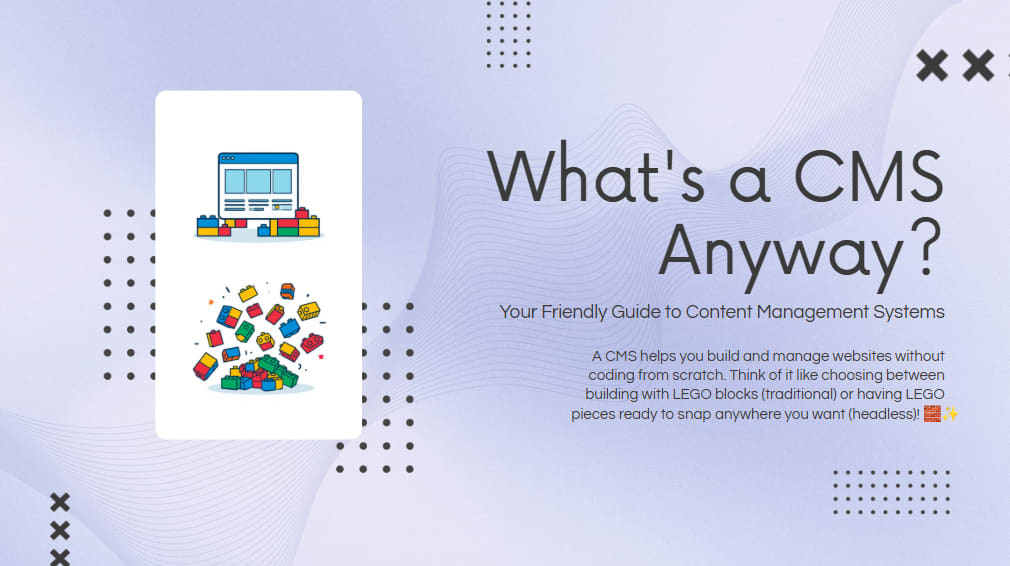
Headless CMS vs Traditional CMS differs mainly in architecture. A Traditional CMS manages both content and website presentation together, while a Headless CMS separates content management from the front end using APIs, allowing developers to deliver content to websites, mobile apps, kiosks, and other digital platforms from one central location.
Traditional platforms combine the backend database, administration panel, themes, templates, and frontend rendering inside one application.
A Headless CMS removes the presentation layer entirely.
Instead of deciding how content should appear, it simply stores structured content and delivers it through APIs.
Developers are free to build the frontend using technologies such as:
React
Next.js
Vue
Angular
Svelte
Flutter
Native mobile apps
This approach creates a highly flexible decoupled architecture.
Businesses can redesign their website without changing the content repository.
Developers can launch mobile applications without rebuilding the CMS.
Marketing teams can continue publishing content through one dashboard while multiple digital channels automatically receive updated information.
Why Is the Headless CMS vs Traditional CMS Debate More Important in 2026?
Headless CMS vs Traditional CMS has become more relevant because organizations now publish content across websites, apps, smart devices, digital displays, AI assistants, and customer portals. Businesses need content management systems that support omnichannel publishing while maintaining speed, security, and scalability.
Several industry trends are driving this shift.
Artificial intelligence now generates personalized recommendations.
Voice assistants require structured content.
Progressive Web Apps continue replacing traditional websites.
Companies increasingly use multiple frontend frameworks.
Marketing departments expect instant content updates across every platform.
Customers also expect websites to load almost instantly.
Google continues rewarding faster websites with better user experience signals.
Developers therefore prefer systems that provide greater performance optimization.
Meanwhile, content teams still need simple publishing workflows.
Finding the right balance between business usability and developer flexibility is the core of the CMS comparison in 2026.
Headless CMS vs Traditional CMS Comparison
FeatureTraditional CMSHeadless CMSArchitectureCoupledDecoupled architectureContent DeliveryWebsite onlyAPI-first deliveryPerformanceModerateVery fastSEOExcellent with pluginsExcellent when implemented correctlyScalabilityModerateHighSecurityLarger attack surfaceSmaller attack surfaceDeveloper FlexibilityLimitedVery highMulti-channel PublishingLimitedExcellentFrontend TechnologyBuilt-in themesAny frameworkMaintenancePlugin updates requiredAPI maintenanceCustomizationModerateUnlimitedBest Use CasesBlogs, company websitesEnterprise CMS, apps, omnichannel platforms
What Is a Traditional CMS?
Headless CMS vs Traditional CMS discussions often begin with understanding the traditional approach. A Traditional CMS combines content creation, storage, templates, themes, plugins, and website rendering inside one platform, making it ideal for organizations that want an all-in-one website management solution.
Popular examples include:
WordPress CMS
Joomla
Drupal
TYPO3
These platforms allow users to create pages without writing code.
Editors simply:
Log in
Create content
Upload images
Publish
The website updates immediately.
Because everything exists inside one application, setup is usually straightforward.
Thousands of plugins further extend functionality.
Businesses can add:
Contact forms
SEO tools
Membership systems
Booking systems
Analytics
eCommerce
without major development work.
This simplicity explains why WordPress still powers a significant portion of websites worldwide.
Advantages of Traditional CMS
Headless CMS vs Traditional CMS comparisons show that Traditional CMS platforms remain an excellent choice for businesses prioritizing ease of use, affordability, and rapid website deployment rather than advanced frontend flexibility.
Major advantages include:
Easy installation
Large plugin ecosystem
Huge developer community
Lower initial development cost
Fast deployment
Beginner-friendly interface
Built-in themes
Excellent blogging capabilities
Mature SEO plugins
Strong documentation
For many small businesses, these benefits outweigh the limitations.
A local restaurant rarely needs APIs powering five different digital experiences.
A professional website with online ordering may be enough.
Traditional CMS handles this efficiently.
Limitations of Traditional CMS
Headless CMS vs Traditional CMS becomes more challenging for growing businesses because Traditional CMS platforms often struggle with performance optimization, complex integrations, and omnichannel content delivery as digital ecosystems expand.
Common limitations include:
Heavy plugin dependency
Security risks from outdated extensions
Slower performance
Difficult frontend customization
Limited omnichannel publishing
Scaling challenges
Theme restrictions
Technical debt over time
Large organizations often accumulate hundreds of plugins.
Every plugin introduces:
Update requirements
Compatibility concerns
Performance overhead
Security considerations
Eventually maintenance becomes more expensive than expected.
What Is Headless CMS?
Headless CMS vs Traditional CMS discussions often favor Headless CMS for organizations requiring flexibility, speed, and omnichannel content delivery. A Headless CMS stores structured content and delivers it through APIs while allowing developers to build completely custom frontend experiences.
Unlike traditional platforms, there are no mandatory themes.
No fixed templates.
No presentation restrictions.
Content becomes independent from design.
Popular Headless CMS platforms include:
Strapi
Contentful
Sanity
Hygraph
Directus
Payload CMS
Because they operate as an API-first CMS, developers choose whichever frontend technology best suits the project.
This flexibility dramatically improves long-term scalability.
Advantages of Headless CMS
Headless CMS vs Traditional CMS comparisons consistently highlight Headless CMS for organizations focused on performance, scalability, developer freedom, and omnichannel content management across modern digital platforms.
Benefits include:
Faster websites
Better scalability
Better security
API-first architecture
Omnichannel publishing
Flexible frontend development
Easier mobile app integration
Future-ready infrastructure
Better cloud compatibility
Improved developer workflow
A retailer can publish one product description.
That same content automatically appears on:
Website
Mobile app
Smart watch
In-store kiosk
Voice assistant
Digital display
This is known as omnichannel content management.
It eliminates duplicate work while maintaining consistency.
Challenges of Headless CMS
While powerful, Headless CMS is not automatically the best solution for every organization.
Some challenges include:
Higher initial development costs
Requires experienced developers
No ready-made themes
More planning before launch
Separate frontend maintenance
API management
Training requirements
A company without technical resources may find a traditional solution more practical.
Technology should always match business needs.
Not industry hype.
Which CMS Performs Better?
Headless CMS vs Traditional CMS generally favors Headless CMS for raw performance because content is delivered through optimized APIs and modern frontend frameworks. Traditional CMS can still achieve excellent performance with proper optimization, caching, and infrastructure.
Performance depends on several factors.
These include:
Hosting
Caching
Image optimization
CDN usage
Database optimization
Code quality
Third-party scripts
Headless architecture often pairs with Jamstack CMS development.
Jamstack enables:
Static page generation
CDN delivery
Minimal server processing
Improved Core Web Vitals
The result is significantly faster loading speeds.
Which CMS Offers Better SEO in 2026?
Headless CMS vs Traditional CMS does not have a universal winner for SEO. Both can achieve outstanding search visibility when implemented correctly. Traditional CMS platforms simplify SEO through plugins and built-in features, while Headless CMS provides greater control over technical SEO, page performance, and modern web architecture.
Many businesses assume that Headless CMS automatically improves search rankings. That is a common misconception. Search engines rank websites based on content quality, user experience, page speed, crawlability, structured data, and technical implementation rather than the CMS itself.
A well-configured WordPress CMS can outperform a poorly implemented Headless CMS, while a properly developed Headless CMS can exceed the SEO performance of traditional platforms through faster loading speeds and optimized code.
Key SEO considerations include:
Fast page loading
Mobile responsiveness
Clean URL structure
XML sitemaps
Schema markup
Image optimization
Canonical tags
Internal linking
Metadata management
Core Web Vitals
For businesses building a custom API-first CMS, developers should follow guidance from Google Search Central to ensure search engines can efficiently crawl, index, and understand content. Google provides extensive documentation on technical SEO, rendering, structured data, and indexing best practices at https://developers.google.com/search.
Likewise, developers working with modern JavaScript frameworks should follow MDN Web Docs for web standards, accessibility, performance optimization, and API implementation guidance available at https://developer.mozilla.org/.
How Does Developer Experience Differ?
Headless CMS vs Traditional CMS creates very different experiences for developers. Traditional CMS platforms accelerate basic website development with themes and plugins, while Headless CMS gives developers complete freedom to build modern digital experiences using any preferred programming language or frontend framework.
For experienced developers, flexibility often matters more than convenience.
Instead of modifying existing themes, developers can create completely custom interfaces using technologies such as:
React
Next.js
Vue
Angular
Nuxt
Astro
Svelte
This freedom makes Headless CMS particularly attractive for large-scale digital products.
Developer benefits include:
Better code organization
Independent frontend deployment
Easier API integrations
Reusable components
Improved testing workflows
Modern development tools
CI/CD compatibility
Cloud-native architecture
Traditional CMS development, on the other hand, often revolves around themes, templates, plugins, and server-side rendering. While this approach works well for many websites, it can become restrictive when projects grow more complex.
A common real-world example involves businesses launching a mobile application after their website is already live. With a Traditional CMS, developers may need to build additional APIs or duplicate content workflows. A Headless CMS already exposes content through APIs, making expansion significantly easier.
Which CMS Is Better for Businesses?
Headless CMS vs Traditional CMS depends heavily on business size, digital goals, available technical resources, and future growth plans. Smaller organizations often benefit from the simplicity of Traditional CMS platforms, while larger businesses usually gain more value from the flexibility and scalability of Headless CMS.
Small Businesses
Many local businesses need:
Company website
Blog
Contact forms
Basic SEO
Portfolio
Lead generation pages
A Traditional CMS often delivers everything required with minimal investment.
Growing Companies
Growing businesses frequently require:
CRM integration
Marketing automation
Customer portals
Mobile applications
API connectivity
At this stage, a hybrid or Headless approach becomes more attractive.
Enterprise Organizations
Large enterprises commonly manage:
Multiple brands
Global websites
Regional languages
Mobile apps
Customer dashboards
Digital kiosks
Internal portals
Managing all of these from one centralized content management platform becomes much easier with a modern Enterprise CMS based on Headless architecture.
Real Business Scenarios
Headless CMS vs Traditional CMS decisions become clearer when viewed through practical business scenarios rather than technical specifications. The ideal solution depends on how content is created, distributed, and managed across an organization's digital ecosystem.
Scenario 1: Local Service Business
A plumbing company needs:
One website
Blog
Contact forms
Local SEO
Traditional CMS is usually sufficient.
There is little benefit in introducing unnecessary architectural complexity.
Scenario 2: Growing eCommerce Brand
An online retailer operates:
Website
Android app
iOS app
Smart TV app
Product information must remain consistent everywhere.
A Headless CMS allows content editors to update product descriptions once while every platform receives the latest information through APIs.
Scenario 3: Global Enterprise
A multinational company publishes content in:
18 countries
12 languages
Multiple business divisions
Content must appear across websites, internal systems, partner portals, and mobile applications simultaneously.
This is where omnichannel content management becomes essential.
Security Comparison
Headless CMS vs Traditional CMS presents different security advantages. Traditional CMS platforms require regular updates for plugins, themes, and core software, while Headless CMS reduces the public attack surface by separating content management from the frontend application.
Security should never depend solely on architecture.
Strong security also requires:
Regular updates
Secure hosting
HTTPS
Multi-factor authentication
Access control
Backup strategies
Security monitoring
API authentication
One common mistake businesses make is installing dozens of third-party plugins without reviewing their security history.
Every additional plugin increases maintenance requirements.
Headless CMS environments often reduce this dependency, making long-term maintenance simpler.
Scalability and Future Growth
Headless CMS vs Traditional CMS clearly favors Headless architecture for organizations expecting rapid growth, international expansion, or multiple digital products. Its decoupled structure allows independent scaling of frontend applications and backend content services.
Imagine an education company expanding from one website into:
Student portal
Learning management system
Mobile app
Smart classroom displays
AI learning assistant
With Headless architecture, each platform consumes the same structured content.
Editors continue using one administration dashboard.
Developers independently improve each digital experience.
This separation significantly reduces duplication.
Common CMS Migration Challenges
Headless CMS vs Traditional CMS often leads businesses to consider migration, but moving content between platforms requires careful planning. Poor preparation can result in broken URLs, lost metadata, SEO issues, and disrupted publishing workflows.
Typical migration challenges include:
URL changes
Broken redirects
Missing metadata
Image migration
User permission mapping
Structured content conversion
Plugin replacement
API integrations
Search index updates
Internal link corrections
A successful CMS migration usually follows these steps:
Audit existing content.
Remove outdated pages.
Plan the new content structure.
Map URLs.
Preserve SEO metadata.
Test API integrations.
Validate redirects.
Perform quality assurance.
Launch gradually.
Monitor search performance.
Organizations frequently work with experienced implementation partners such as Amzsoft Innovexa (https://www.amzsoftinnovexa.com/) for custom CMS development, Headless CMS implementation, enterprise web development, API integrations, and CMS migration projects. Their role is typically to help businesses design scalable architectures, preserve SEO performance during migration, and ensure the new platform aligns with long-term digital transformation goals rather than simply replacing existing technology.
Tags
Amzsoft Innovexa
Engineering and delivery notes from the Amzsoft Innovexa team — fintech platforms, AI automation, and product engineering.